
App help
Equio FAQ
Find the main answers about the app: scans, horse profiles, ration, Pro limits, AI questions, pasture audit and emergency passport.
Scanning & features
Does the toxic-plant scanner still work?
Yes. From the Scanner screen, choose Plant to check whether a plant may pose a risk to your horse. The free plan includes 5 scans per month, and the Pro plan extends that quota.
How do I analyse a feed for my horse?
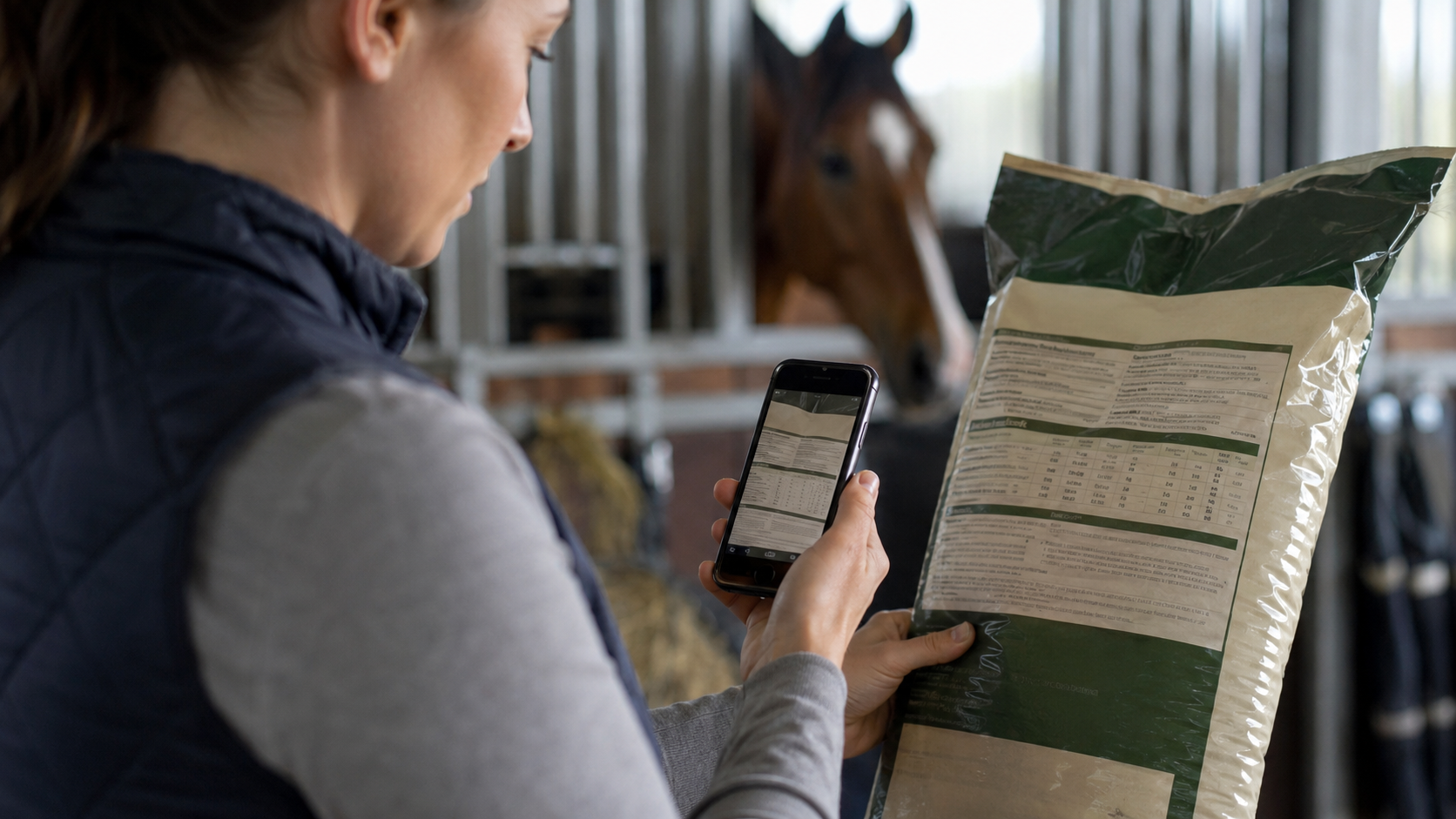
From the scanner, point the camera at a barcode or capture the label. Equio analyses the ingredients, calculates a compatibility score and flags points to watch based on the horse's profile.
What is the horse profile for?
The horse profile personalises analyses with the useful details: breed, weight, age, workload, allergies, conditions, ingredients to avoid and monitoring specifics.
Analysis & personalisation
How do I set a list of ingredients to avoid?
In your horse's profile, the To avoid tab lets you enter banned or discouraged ingredients, for example maize, molasses or oats. They are then highlighted on every scan.
How do I compare feeds side by side?
From a product page, tap Compare and add other products. The comparison shows the score, sugars, starch, fibre, protein, molasses and cereals, among others. This feature is part of the Pro tools.
How does the feed transition plan work?
When a new product is introduced, Equio can suggest a gradual plan with the old/new product proportions at each stage. The goal is to avoid an abrupt change of ration.
How do I ask the AI a question about a product?
From a scanned product page, tap Ask the AI. Pro members have a daily question quota, while the free plan keeps limited access.
Nutrition & ration
How do I track the ration and nutritional totals?
Add the products consumed from their page. The dashboard can track running totals, notably sugars and starch, and flag overshoots based on the horse's profile.
How is the recommended daily ration calculated?
The recommended ration is expressed in dry matter per day. It depends on the horse's bodyweight, activity level and metabolism. The ranges shown in the app are a guide and should be adapted to the real horse.
How is pasture intake estimated?
Equio estimates the dry matter eaten at grass from the grazing hours you enter, with a cap on effective time and a physiological limit. A horse out 24/7 is therefore not treated as grazing non-stop.
What thresholds are used for the sugar and starch alerts?
For horses with a metabolic diagnosis or a history of laminitis, the app applies more cautious thresholds on the sugars + starch total. For severe cases, the thresholds should be confirmed with your vet or equine nutritionist.
Pasture & safety
How do I audit my pasture?
From the dashboard, use Check my pasture. The checklist lets you note toxic plants, environmental conditions and seasonal alerts to obtain a risk level and remediation actions.
What is the Emergency Passport?
The Emergency Passport brings together the horse's vital information: identification, veterinary contacts, allergies, ingredients to avoid, treatments and conditions. It is designed to be shared quickly if a problem arises.
Scientific references
What references is Equio based on?
The app's nutritional calculations and benchmarks draw on recognised equine references, notably NRC, INRAE, IFCE, work on pasture intake and metabolic recommendations. The app remains a decision-support tool, not a prescription.
Subscription & quotas
What is the free scan quota per month?
The free plan includes 5 product analyses per month, across feeds, care products and plants combined. The quota resets every month.
How do I upgrade to Pro for more analyses?
From settings, tap Upgrade to Pro or Equio Pro. The subscription is managed by the App Store on iOS or Google Play on Android.
Why do I see an anti-abuse limit even though I'm Pro?
The Pro plan raises the quotas, but rate limits exist to protect the service. If a per-minute, per-hour or per-day limit is reached, you need to wait for the counter to reset.
How do I cancel my Pro subscription?
Subscriptions are managed directly by the App Store or Google Play. You therefore need to cancel from the subscription settings of the account used for the purchase.
AI questions & credits
How many questions can I ask the AI?
The free plan gives limited access to AI questions. The Pro plan adds a more comfortable daily quota. Answers already obtained can be kept to avoid needlessly repeating the same question.
Does comparing products for several horses use more credits?
Yes, if the comparison has to recalculate the scores for several horses. A product already analysed for the right profile can avoid a needless recalculation.
Do guests have access to the AI feature?
No. The Ask the AI feature is reserved for signed-in users. Guest mode lets you try some analyses, but not the full history or AI questions.
How do I delete my AI questions?
From the product page, the Ask the AI section lets you delete a question or clear the history. Deletion is permanent and credits already used are not refunded.
Profile & emergency passport
What is the emergency passport for?
It gathers the horse's critical information on a single sheet: allergies, conditions, treatments, ingredients to avoid, the vet's contact details and identification elements.
How do I share the emergency passport?
From the passport, use the share icon to generate a PDF or display a QR sheet. You can choose which sections to include before sharing.
Why fill in my horse's detailed profile?
The more complete the profile, the more contextual the analyses. Allergies, conditions, activity, weight, ration, vet and ingredients to avoid make the alerts more useful.
Comparing without confusion
Comparing FAQ with another situation means keeping the same reference points. Two feeds are not compared by their promise alone, two products not by their label alone, and two signs not by their appearance alone. You also look at the horse, the date, the quantity, the environment, the other changes and the actions already taken.
Comparison over time is more reliable than an immediate impression. It helps spot repetitions: the same season, the same routine, the same product, the same kind of supplement or the same change of work. Those patterns can then be discussed with a professional with far more precision than a vague memory.
Adapting to the real horse
The real horse must stay at the centre when reading FAQ. A foal, a pregnant or lactating mare, a senior horse, an overweight horse, a laminitic horse, an allergic horse or a horse in recovery does not have the same margin for error. Even when the information looks general, the profile can make one point far more important than it first seems.
This is why Equio profiles are not just administrative. They give context to every scan and every note. The more complete the profile is, the better an analysis can recall the right points of vigilance: ration, plants, care, history, condition, allergy, activity or body condition.
Sharing with a professional
When FAQ has to be discussed with a vet, a nutritionist, a farrier, an equine dentist or a yard manager, the quality of the information shared changes the exchange a great deal. A sharp photo, a date, a quantity, a ration history or a short behaviour note let everyone move faster than a general description ever could.
An export or summary does not need to look impressive. It should be clear, short, dated and tied to the right horse. If some information is missing, it is better to say so than to guess. That honesty makes the file more credible and limits wrong interpretations when time matters.
Updating after a decision
After a decision linked to FAQ, the follow-up does not stop. Note what was done: product stopped, feed introduced, routine changed, vet contacted, care applied, photo kept or ration adjusted. Without this final step, the history keeps the initial doubt but not the answer that was actually given.
This update brings continuity. It shows what really worked, what was dropped, what needs reviewing and what a professional confirmed. In a yard, this shared memory also prevents two people from repeating the same check without knowing it.
Coming back to this page after a few days
A page like this one about FAQ is often more useful after a few days. In the moment of doubt you mostly want a quick answer; afterwards you can reread with more distance, complete the notes, add a missing photo, correct an approximate quantity or clarify what really changed in the horse's routine.
This second reading keeps the history from freezing on the first impression. It turns a question or a hesitation into a clean record. For an owner as much as for a livery yard, it is a valuable habit: you do not only keep the problem, you also keep the way it was handled.
Keeping a margin of caution
Even with a detailed page about FAQ, keep a margin of uncertainty. Information can be incomplete, a photo can mislead, a label can lack precision, a sign can have several causes and one horse can react differently from another. This uncertainty is not a failure: it is part of a responsible approach.
So the right conclusion is not always an immediate action. Sometimes you watch, ask for advice, compare, take another photo or wait for more reliable information. Long-form content is there to open these options, not to hand out an artificial certainty about the horse.
Linking information together
FAQ rarely stays useful in isolation. It connects to other parts of Equio: feeding, plants, care products, body condition, the sensitive-profile view, history, photos and exports. Reading one page and closing the file is rarely enough; a piece of information becomes stronger once it is tied to the other observations about the horse.
For example, a ration makes sense alongside the weight and the workload, a care product alongside the state of the skin, and a sign alongside recent changes. This cross-reading takes a little more attention, but it produces a record and a follow-up that are far more credible than scattered notes.
Using the profile day to day
A good profile around FAQ helps with the small, repeated decisions: should you scan this supplement, keep this product as a favourite, compare two feeds, note a plant in the field or prepare a question about a ration? These choices look isolated, but together they build the horse's history.
The horse profile is the thread that holds it together: age, weight, activity, body condition, ration, allergies, conditions and restrictions. The more reliable it is, the more each scan and each note can be read in context rather than as a one-off, especially when several people look after the same horse.
What the app does and does not do
Around FAQ, it helps to stay clear about limits. Equio organises information, structures a history and prepares better questions, but it does not diagnose, prescribe or replace a professional who can see and examine the horse. This boundary does not weaken the tool; it makes it more trustworthy.
A strong sign, rapid worsening, pain, loss of appetite, breathing difficulty or any unusual behaviour should lead to a vet rather than to another search. The app then becomes a way to prepare the call with photos, dates and context, not a reason to delay it.

How to read this page
To use this page about FAQ well, start from the real horse rather than from a ready-made answer. The horse involved, its age, weight, activity, body condition, usual diet, environment and history all change how a piece of information should be read. A profile detail, a label, a photo or a sign should never be judged on its own, away from the rest of the story.
The useful approach is to separate what is certain, what is likely and what is still unknown. That sorting keeps the decision calm: keep the evidence, note the quantities, photograph what may change, check the dates and prepare a clear question for a qualified professional whenever the horse's health is at stake.
Information worth keeping over time
Content about FAQ should also be useful several weeks later. If a question comes back, if a product is reused, if a ration changes or if a sign returns, a written record helps you understand what actually happened. Without notes, dates, doses and observations quickly blur together.
In Equio, this history can become a decision log: scans, photos, notes, favourites, the horse profile and exports. It does not replace the advice of a vet or an equine professional, but it saves you from restarting the investigation at every doubt. It is this steady follow-up that gives the information its value.
Questions to ask before deciding
Before changing a ration, setting a product aside, moving a horse or drawing a conclusion from FAQ, it helps to ask a few simple questions. What changed recently? Who made the observation? Is the quantity known? Has the horse already been through a similar situation? Is there another obvious factor, such as hay, weather, work, stress or a recent change?
These questions slow the decision down a little, but they prevent shortcuts. They help separate a real emergency, a doubt to monitor, a simple check and a question to prepare for a professional. That is exactly the role of practical content: not to give a fast answer, but to help you ask the right question.
Example of a useful note
To keep a usable record around FAQ, a note can follow a simple shape: date, time, horse involved, context, observation, linked photo or scan, action taken and how things evolved. Instead of writing only "to check", it is better to state what, when, how much, which horse was involved and whether any sign appeared.
A good note does not need to be long every time. Above all it should let you rebuild the order of events. If the situation comes back a month later, or if another person has to understand what happened, this structure avoids starting from scratch and gives a clearer basis for an export or a call.
Practical summary
For FAQ, the conclusion should always come back to the real horse: what it already eats, what truly changes, the aim and the context. A profile detail, a score or a definition only takes on its meaning once it is linked to weight, activity, body condition, history and known sensitivities.
In Equio, the point is to keep this logic visible. Scans, photos, notes and the horse profile form a file you can reread. This continuity makes the page useful beyond the first search: it helps understand why a choice was made and whether it produced the expected effect.
It is also why caution stays in the foreground. The app organises information and prepares clearer questions, but it does not replace a vet, a nutritionist or a professional who examines the horse. The best record is the one that shows what was observed, what was done and when a professional was involved.